Fountain pen troubleshooting: every symptom, cause, and fix in one place
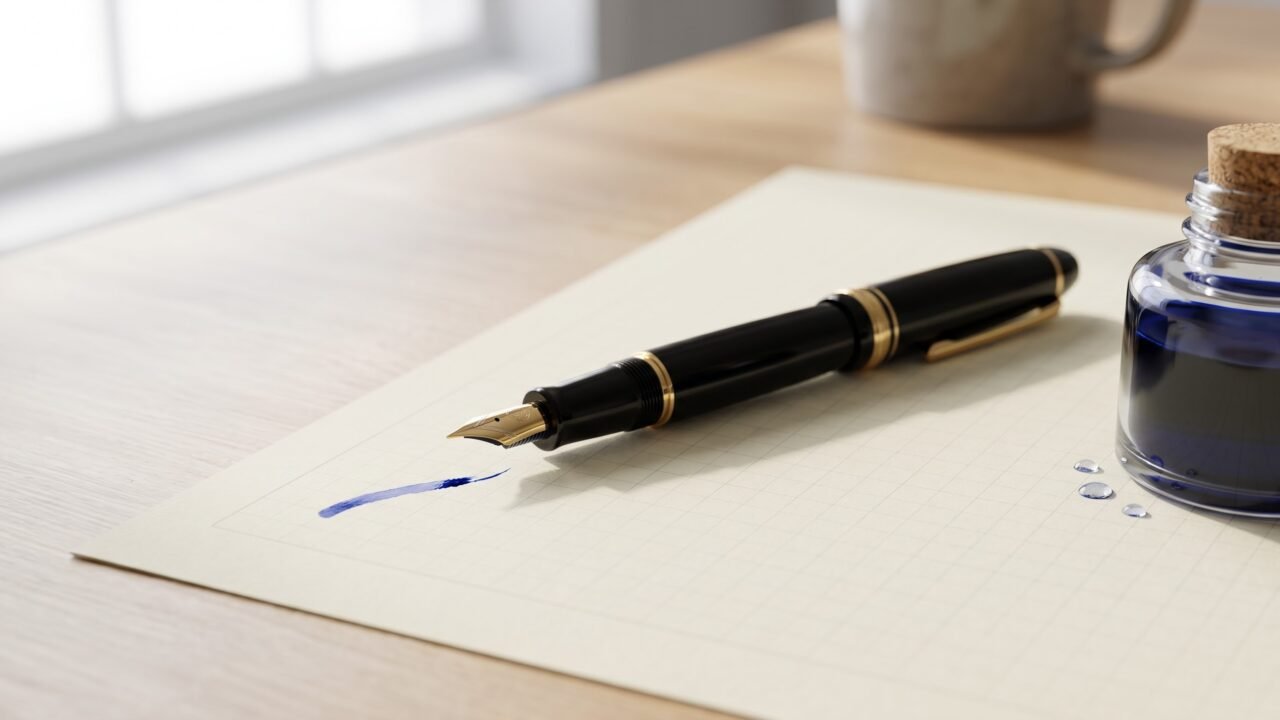
Your pen just stopped writing. Or it skips every third word. Or it scratches like a cat dragging its claws across silk. You are not alone, and the fix is almost always simpler than it looks.
Most fountain pen problems trace back to three things: dried ink, a misaligned nib, or a mismatch between ink and paper. Pinpoint which one is causing your symptom and the fix is usually quick. This hub maps every common problem to its cause and solution. The quick-reference table below gives you the fastest path from symptom to answer.
Complete beginners: a few terms appear throughout this page. The nib is the metal writing tip. The tines are the two prongs of the nib that meet at the tip – think of a tuning fork. The feed is the black plastic or ebonite piece directly behind the nib that channels ink from the reservoir to the tip. The converter is the refillable piston or squeeze-bulb reservoir that replaces a disposable ink cartridge. Knowing these four terms is enough to follow every fix below.
Is the pen writing at all? Start here
The single highest-volume search that lands on a page like this is some version of “fountain pen not writing” – complete flow failure, not a nuance. If your pen is producing zero ink at all, run this two-minute check before anything else.
- Is there ink? Hold the barrel up to a light. If a converter is installed, look through it. Cartridges can run out without warning.
- Has ink reached the nib? On a new fill, ink sometimes sits in the converter and has not yet traveled down to the nib. Hold the pen nib-down for 30 seconds, or prime it: on a piston converter, draw back a half-turn and release; on a squeeze converter, give it one gentle squeeze and release.
- Is the nib completely dry and clogged? If the pen sat unused for weeks or months, ink may have dried solid in the feed. See the flush instructions in Check 2 below. A pen that dried completely may need a 30-minute soak before it will write at all.
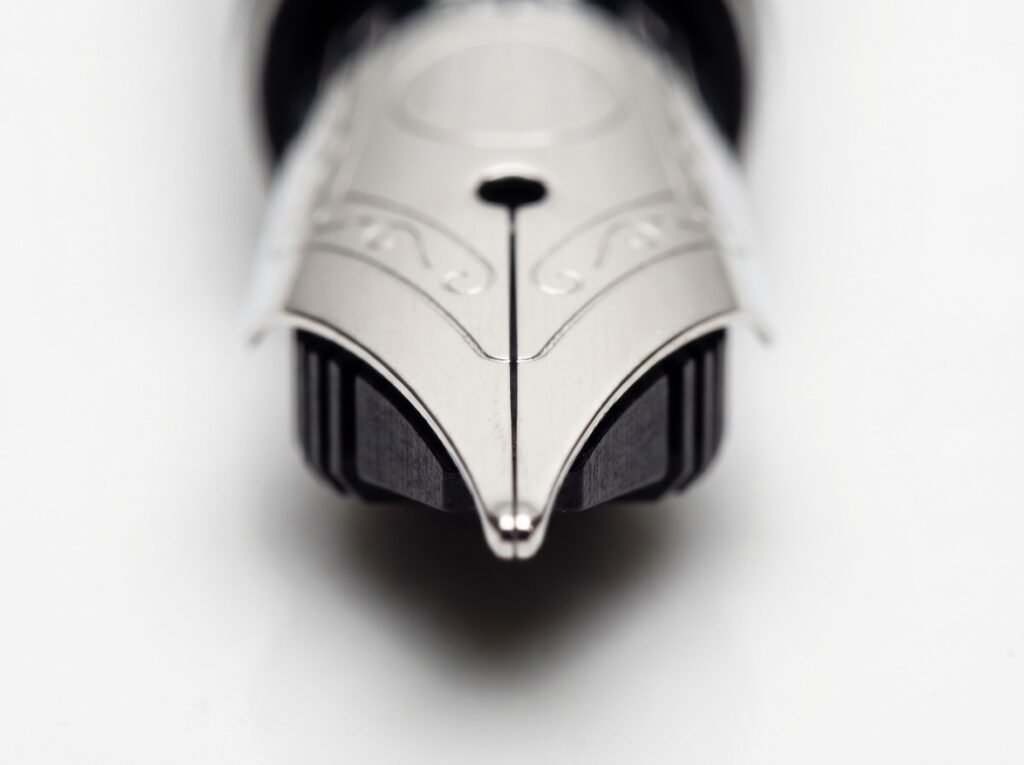
- Is the tine gap closed shut? Look at the very tip of the nib from the front. The two tines should meet in the center with a hairline gap visible. If they are pressed together with no gap, the pen will write nothing. This is a tine-adjustment job – see the Skipping section below, or the dedicated skipping guide.
If the pen produces some ink but with a specific problem (skipping, scratchiness, blobbing), move on to the symptom sections below.
Three checks before anything else
Run through these before diagnosing a specific symptom. They solve the majority of issues on their own.
- Check 1: Pressure. Fountain pens write on almost no pressure. Let the nib rest on the paper under only the pen’s own weight. Pressing harder will not improve flow – it compresses the tines together and cuts off ink. Pelikan’s FAQ explicitly warns that pressing the nib onto paper with force can permanently bend the tine tip. Enthusiasts who switch from ballpoints often over-press without realizing it. If you are bearing down, back off first.
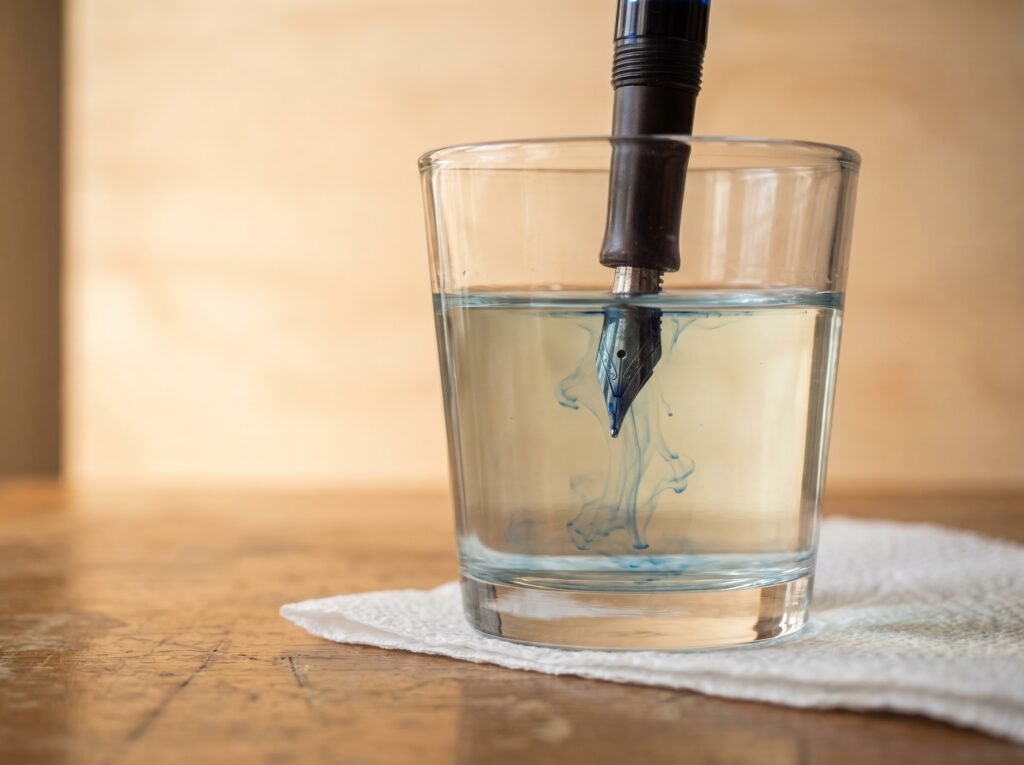
- Check 2: Flush. Dried ink in the feed is the single most common culprit behind every symptom on this page. Sailor’s official care guidance identifies hardened ink as the leading reason a pen stops writing. How to flush: if your pen uses a converter (the refillable reservoir), twist or squeeze it to draw water in through the nib, then expel it. Repeat until the water runs clear. If your pen takes cartridges, remove the cartridge, attach a converter or bulb syringe to the grip section, and draw lukewarm water through the same way. A bulb syringe speeds this up significantly. For a pen that has sat unused for months, fill it with water and let it soak nib-down for 30 minutes before trying to flush. Pelikan’s FAQ recommends soaking a badly dried nib in water for up to a week in stubborn cases.
- Check 3: Ink and paper. Not all inks behave the same, and not all paper plays along. A very dry ink in a very fine nib produces under-writing; a very wet ink on uncoated copy paper produces feathering and blobbing. See the wet nib and dry ink pairing guide for the pairing rules that prevent most ink-paper mismatches before they start.
If all three checks pass and you still have a problem, move to the symptom index below.
Symptom-to-fix quick-reference table
Find your symptom in the left column. The table maps each one to its most likely cause and first fix. Full explanations follow in the sections below.
| Symptom | Most likely cause | First fix | If that fails |
|---|---|---|---|
| No ink at all | Empty reservoir; ink not primed to nib; dried clog | Check ink level; prime converter; flush and soak | Check tine gap; see a nibmeister if tines are closed shut |
| Skipping (random gaps mid-stroke) | Dried ink or tines too tight | Flush thoroughly | Wetter ink; tine adjustment – steel nibs only, see Skipping section |
| Scratchy feel on paper | Misaligned or burred tines | Check tine alignment under a loupe; flush | 8,000-12,000-grit micromesh – only after tine symmetry check; see Scratchy section |
| Hard start (no flow on first stroke) | Dried ink at nib tip; tines too tight; factory residue on new pen | Flush; on new pen, flush before first ink fill | Wetter ink; cap with airtight fit |
| Two parallel lines instead of one solid stroke (railroading) | Insufficient ink flow – tines too tight or feed channel undersized for flow rate | Flush; check tine gap; try a wetter ink | Tine adjustment (steel nibs); check feed for partial clog |
| Blobbing (ink drops onto paper) | Clogged air-return channel in feed causing siphon release; or tines too open | Full flush and 30-minute soak; fill to about 80% capacity | Try a drier ink; gently close tines |
| Ink starvation (flow fades then recovers) | Partial clog in feed channel; tines too tight; piston seal degradation on piston-fill pens | Full flush; soak feed 30 minutes | Switch to plain dye ink; on piston pens, check piston seal |
| Skips only on first stroke after rest, writes fine after that (baby’s bottom) | Over-rounded tine shoulders block capillary edge-contact with paper | Cannot be fixed by flushing; confirm with pattern test | Nibmeister only – home polishing makes this worse |
| Nib creep (ink pools on top of nib) | Wet ink or low surface tension; wider nib gap | Wipe nib with cloth; no functional problem | Switch to a drier ink; cosmetic only |
Skipping
A skipping pen leaves random white gaps in otherwise continuous strokes. The feed is not delivering ink fast enough to keep the nib tip flooded. Nine times out of ten, a thorough flush fixes it immediately – dried ink, paper fibers, or fine particles from a shimmer ink have partially blocked the feed’s capillary channels. Flush before you touch the nib.
If flushing does not help, the tines may be pressed too close together. The narrow gap limits how much ink can travel down toward the tip. A thin brass shim (sometimes called a nib-opening tool) gently separates the tines to restore flow.
Important: tine adjustment is for steel nibs only. On a gold nib, tine adjustment is nibmeister territory. Gold is soft enough that an inexperienced hand will spring the tine asymmetrically or crack the feed, and neither is recoverable at home. If you have a gold-nibbed pen (check the nib face – it will say 14K, 18K, or similar), skip this step and go straight to the dedicated skipping guide or a nibmeister.
On a steel nib, go slowly. A quarter-millimeter of movement is a lot. Slide the shim in from the underside, not the face, and use a single gentle outward motion – do not lever or twist. Check on paper after every pass. Full detail on diagnosing and fixing a skipping pen is in the dedicated skipping guide.
One ink-specific cause: shimmer inks contain fine metallic or mica particles. These particles accumulate in EF and F feeds with narrow channels, causing intermittent flow. A medium nib or broader is generally safer for shimmer inks, and a flush every two weeks or so keeps the channels clear.
Scratchy writing
A scratchy nib catches on the paper tooth rather than gliding over it. Two distinct causes, two different fixes.
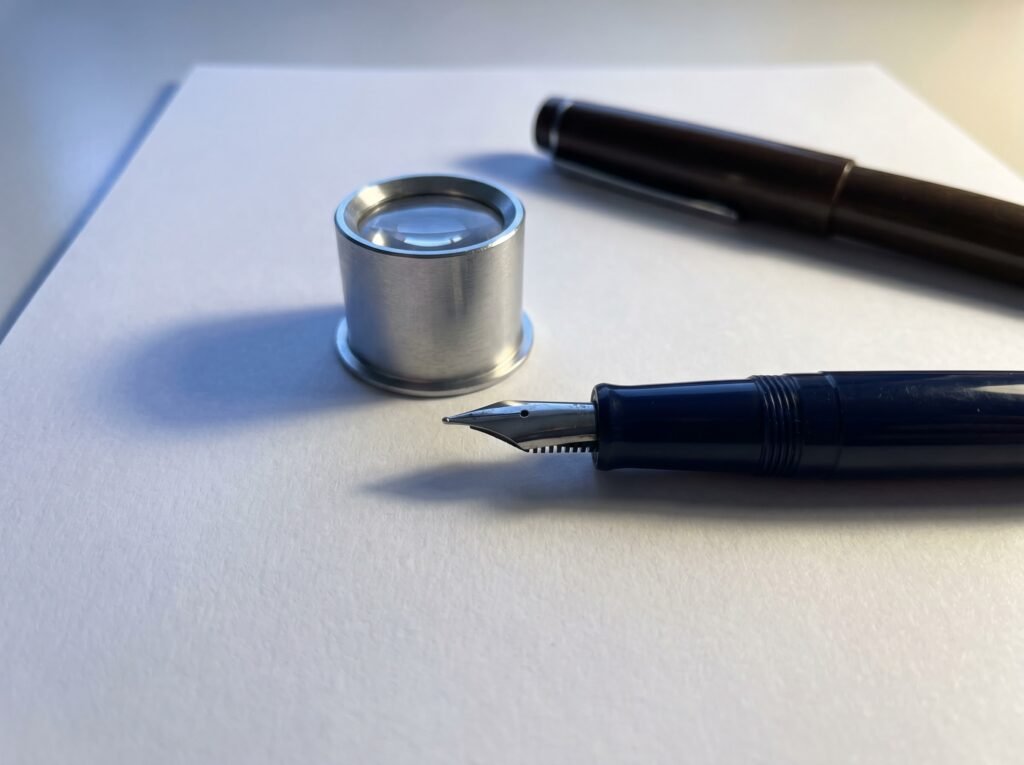
The first is misaligned tines. One tine sits higher than the other and its edge catches the paper fibers. Look at the nib head-on with a loupe – if one tine is visibly higher, it can often be coaxed back into alignment by very gentle lateral thumb pressure on the raised tine. If you are not comfortable with that, stop here and see a nibmeister.
The second cause is a burr or rough patch on the tine tip itself. Both tines are level, but the tip is rough in every direction. This is where light abrasive polishing may help.
Before touching any abrasive to the nib, do this check first. Look at both tine tips under magnification. If the tips look rounded or convex from the side – slightly domed rather than flat – do not attempt home polishing. The tines are already close to the geometry that causes baby’s bottom (see below), and any figure-eight work will accelerate that. Put the pen down and see a nibmeister instead.
If the tine tips look symmetrical and flat, and the problem is a burr or surface roughness, 8,000-grit micromesh is a reasonable starting point for a first pass; 12,000-grit is used for final refinement. Rest the nib at its normal writing angle on the micromesh surface and make several small figure-eight strokes with almost no pressure. Check on paper after every three passes. Stop the moment scratchiness improves – the goal is to polish the tip surface, not to reshape the geometry. If after four or five passes the scratchiness has not improved, this is not a surface-roughness problem and more polishing will not fix it. See a nibmeister.
The full process, including how to identify when to stop, is in the nib smoothing guide.
Hard starts
A pen that refuses to write on the first stroke but flows well once ink reaches the tip is experiencing a hard start. Ink has partially dried right at the nib opening while the pen sat capped. A thorough flush and re-fill usually resolves it. Switching to a wetter ink is the next step.
On a brand-new pen, a hard start on the first fill is almost always manufacturing residue. Pen manufacturers apply a light coating during assembly to protect components, and that coating can repel the first ink fill. Flush a new pen with plain water once before the first fill. Some pen makers explicitly include this in their care instructions; it only takes a minute.
A pen that hard-starts repeatedly even after flushing may have tines pressed too close together. Work through the tine-check steps in the hard start guide. If the cap does not seal well, ink evaporates faster from the nib tip. Platinum’s patented Slip and Seal cap technology was designed specifically to prevent this – it achieves near-airtight closure so the nib stays moist even after three to six months of disuse, per Platinum’s own product documentation.
Two lines instead of one solid stroke (railroading)
Railroading produces two thin parallel lines where there should be one solid stroke. Picture two wet rails with a dry gap between them. The ink is reaching the very edges of the nib tip but not flooding the full contact area.
In everyday use on a standard (non-flex) nib, railroading is almost always a flow problem: tines too tight, or a partially blocked feed channel that cannot deliver enough ink to the tip. Speed is a secondary factor and matters mainly on flex nibs where the tine gap opens wider. Start with a full flush and re-test. If the problem persists, check whether the tines are pressing together tighter than a hairline gap – if they are, gentle tine-opening on a steel nib (or a nibmeister on a gold nib) restores flow. A wetter ink is also worth trying before any nib work.
Full causes and fixes are in the railroading guide.
Blobbing and flooding
Ink blobs are those wet drops that appear on the paper mid-session. The most common cause beginners encounter is not tine gap – it is a clogged or partially sealed air-return channel in the feed. When that channel is partially blocked, the pen builds up a small vacuum that suddenly releases a slug of ink onto the paper. This produces intermittent drops rather than a consistently wide line. A full flush and 30-minute soak clears it in most cases.
If flushing does not help and the blobs are consistent from the first stroke – a line that is simply too wide and wet – the tines may be too far apart and releasing more ink than the paper can absorb. The fix is to close the tines slightly. But try simpler causes first.
Fill the converter to about 80% capacity and dry the nib tip on a cloth or tissue after filling. A completely filled converter sitting nib-down pushes ink against the tip. Temperature changes can also push ink out: moving from a cold bag to a warm room creates a small pressure increase inside the barrel. Let the pen rest a minute before writing after a temperature change.
Paper matters too. Loosely sized paper (like cheap copy paper or Moleskine’s standard pages) absorbs ink quickly and can spread a moderate flow into an apparent blob. Fountain-pen-friendly paper with better sizing holds ink at the surface where it belongs.
Ink starvation (flow fades, then recovers)
A pen that writes well, then fades to almost nothing, then recovers after a second or two is showing ink starvation. The feed empties faster than air can replace the ink in the reservoir. As a tiny air bubble works its way in, the flow restores. Then the cycle repeats.
Partial feed clogs are the usual culprit. A full flush and 30-minute soak often clears whatever is restricting the air-intake channel. If the pen uses shimmer or pigment-based ink, the fine particles settle in narrow feed channels over time. Switching to a plain dye-based ink is the cleanest long-term solution for a fine or EF nib.
Piston-fill and vacuum pens. If your pen fills by a built-in rotating piston or a vacuum plunger (rather than a cartridge or converter), ink starvation has an additional possible cause: a dried-out or worn piston seal. When the piston seal loses tension or dries out, it cannot maintain a consistent draw from the reservoir, and flow becomes intermittent in a pattern that looks identical to a partial clog but does not respond to flushing. If you have a piston-fill pen and flushing and ink-switching do not resolve starvation, the piston seal likely needs conditioning or replacement – a nibmeister or the manufacturer’s service can handle this.
Check the runs dry with ink in it guide for a step-by-step walkthrough of this specific cycle.
Skips only on first stroke after rest – baby’s bottom
A baby’s bottom nib is one of the trickier faults to diagnose because the pen seems fine most of the time. It skips badly on the very first stroke after the pen has rested for a few seconds, writes perfectly once ink is flowing, then skips again after another rest. That pattern – fine after the first stroke, skips again after sitting – is the signature tell.
The cause is geometric. A standard nib tip should make flat contact with the paper so the capillary slit bridges the paper surface and starts flow immediately. On a baby’s bottom nib, each tine tip has been rounded outward – both tines have a convex shoulder that curves away from the paper. The contact edges bow away from the surface instead of lying flat against it, so there is no capillary bridge until the stroke forces the tines to flex down and touch. Once touching, it writes fine. Rest it, the convex shoulders lift away again.
Flushing cannot fix a shape problem. Micromesh polishing will make it worse – figure-eight strokes on an already rounded tip accelerate the over-rounding. This repair belongs to a nibmeister. More on identification and your options are in the baby’s bottom explainer.
Nib creep
Nib creep is ink sitting on top of the nib rather than staying inside the slit. It looks messy but it does not affect writing. Wet inks with low surface tension travel more readily up the capillary slit and spread onto the nib face. Wider nib gaps increase the risk.
Wipe the nib with a cloth or pen flush pad before a writing session. Switching to a slightly drier ink removes it entirely. If creep transfers to the cap liner and then back to the paper on capping, that is a sign the ink is running very wet for that particular nib. Consider the wet-nib/dry-ink pairing principles for a systematic fix.
When the ink itself is the problem
Mechanical fixes will not help if the ink is simply incompatible with the pen. Several ink categories cause persistent problems regardless of nib adjustment or flushing.
Pen manufacturers specify fountain-pen-formulated inks only. India ink and acrylic ink contain shellac or acrylic binders that dry waterproof inside the feed and can permanently clog the channels. Many inks sold for dip nibs or calligraphy boards contain the same binders and carry the same risk. A feed damaged this way often cannot be saved by flushing alone. Note on calligraphy inks: not all calligraphy inks are the same. Shellac-based calligraphy inks (India ink, many Chinese calligraphy inks) cause permanent damage. Inks formulated with gum arabic as a binder are water-soluble and do not cause permanent clogging – they are simply prone to drying in the nib and require more frequent maintenance. Check the label before assuming any calligraphy ink is fountain-pen-safe. The wrong ink guide covers what to do if you have already filled with an incompatible ink.
Iron gall inks require specific care depending on your pen. Modern iron gall inks (Diamine Registrar’s, Rohrer & Klingner Salix, KWZ Iron Gall) are formulated to be less acidic than historical iron gall formulas and are generally considered safe for modern pens with synthetic or resin feeds. The real risk from modern iron gall in any pen – including modern pens – is leaving the ink sitting in the pen for extended periods. Iron gall ink in contact with steel nibs or metal-bodied components over weeks can cause corrosion and plating damage. This applies to entry-level and mid-range pens (the Pilot Metropolitan, LAMY Safari, and similar) just as much as to vintage pens. Flush iron gall inks within two to four weeks of last use and do not store a pen loaded with iron gall for extended periods. Vintage pens with original rubber sacs or ebonite feeds have an additional concern: the low-pH historical formulas (and some modern ones) can degrade those materials.
Shimmer inks deserve their own mention. The mica or metallic particles that create the effect settle in fine feed channels. They are generally fine in medium or broad nibs with regular flushing, but in EF and F nibs the particles accumulate quickly and cause severe clogs that require extended soaking to clear. See the shimmer ink safety guide for nib-size recommendations and flush schedules.
Japanese vs. Western nib sizing and flow expectations
If your pen writes noticeably drier or finer than you expected, check whether it has a Japanese or Western nib. Japanese nibs run approximately one size finer than Western nibs; a Japanese M writes closer to a Western F. A pen labeled M from a Japanese maker (Pilot, Sailor, Platinum) will produce a narrower, drier line than an M from a German maker (LAMY, Pelikan, Kaweco). This is not a defect – it is intentional design. Matching your expectations to the nib origin prevents a lot of unnecessary troubleshooting.
The same logic applies to ink pairing. Japanese nibs trend dry; they pair well with wet inks. German nibs trend wet; they pair well with drier inks. The full pairing framework is in the wet nib and dry ink pairing guide.
When to stop and see a nibmeister
Some repairs exceed what gentle home maintenance can safely accomplish. A nibmeister (a specialist in nib adjustment and repair) is the right next step when:
- The tines are visibly bent and do not align, even after gentle coaxing.
- The pen has a confirmed baby’s bottom.
- The pen is gold-nibbed and any tine adjustment is needed.
- A sprung nib is involved (the nib body has separated from the feed).
- The problem persists after a full flush, ink change, and paper change.
- The pen is valuable and you are not confident in any step.
Nib work is not expensive relative to replacing a quality pen, and a nibmeister can often fix in 10 minutes what hours of home tinkering could not. More on what to expect from that relationship is in the nibmeister guide.
Frequently asked questions
Why does my fountain pen skip after cleaning?
Residual water in the feed dilutes ink and temporarily reduces surface tension, causing inconsistent flow. After cleaning, shake out excess water and let the pen air-dry with the nib pointing down for 30 minutes before re-filling. If skipping continues after drying, the issue is tine gap or ink choice, not the cleaning itself.
Can paper cause a fountain pen to stop writing?
Yes. Heavily coated or very smooth papers can prevent ink from wicking off the nib correctly, causing the pen to glide without depositing ink. Very absorbent papers drink ink too fast and can pull it unevenly. Fountain-pen-friendly papers with appropriate sizing produce the most consistent results.
How do I know if my nib is misaligned vs. just scratchy?
Misaligned tines feel like the pen catches in one specific direction (often diagonally) and feel fine in others. A scratchy nib from a burr feels rough in all stroke directions. Look straight at the nib tip: if one tine is visibly higher, it is alignment. If both tines are level but the tip looks dull or slightly rough under a loupe, it is a surface issue.
What does it mean when a pen writes fine but leaves a wet, wide line?
The tines are slightly too far apart, releasing more ink than the nib size was designed for. This can happen from over-pressing during a writing session. Try a drier ink first; that often narrows the effective line width without touching the nib. If the problem persists with multiple inks, gentle tine closing by a nibmeister will restore the original character.
The Nibhaven team
We write plain-English fountain pen guides and check every claim against manufacturer documentation and primary sources. Content is researched, AI-assisted, and human-reviewed before publishing.